Early test build · macOS · Apple Silicon

Interview prep that feels like
an IDE, not a website.

CodeMate is a native Mac app for DSA and system-design prep — real test-case grading, an on-device AI assistant, a whiteboard for LLD/HLD, and a guided path so you always know what's next.

Notarized by Apple, opens without a Gatekeeper warning. macOS 14+ · Apple Silicon
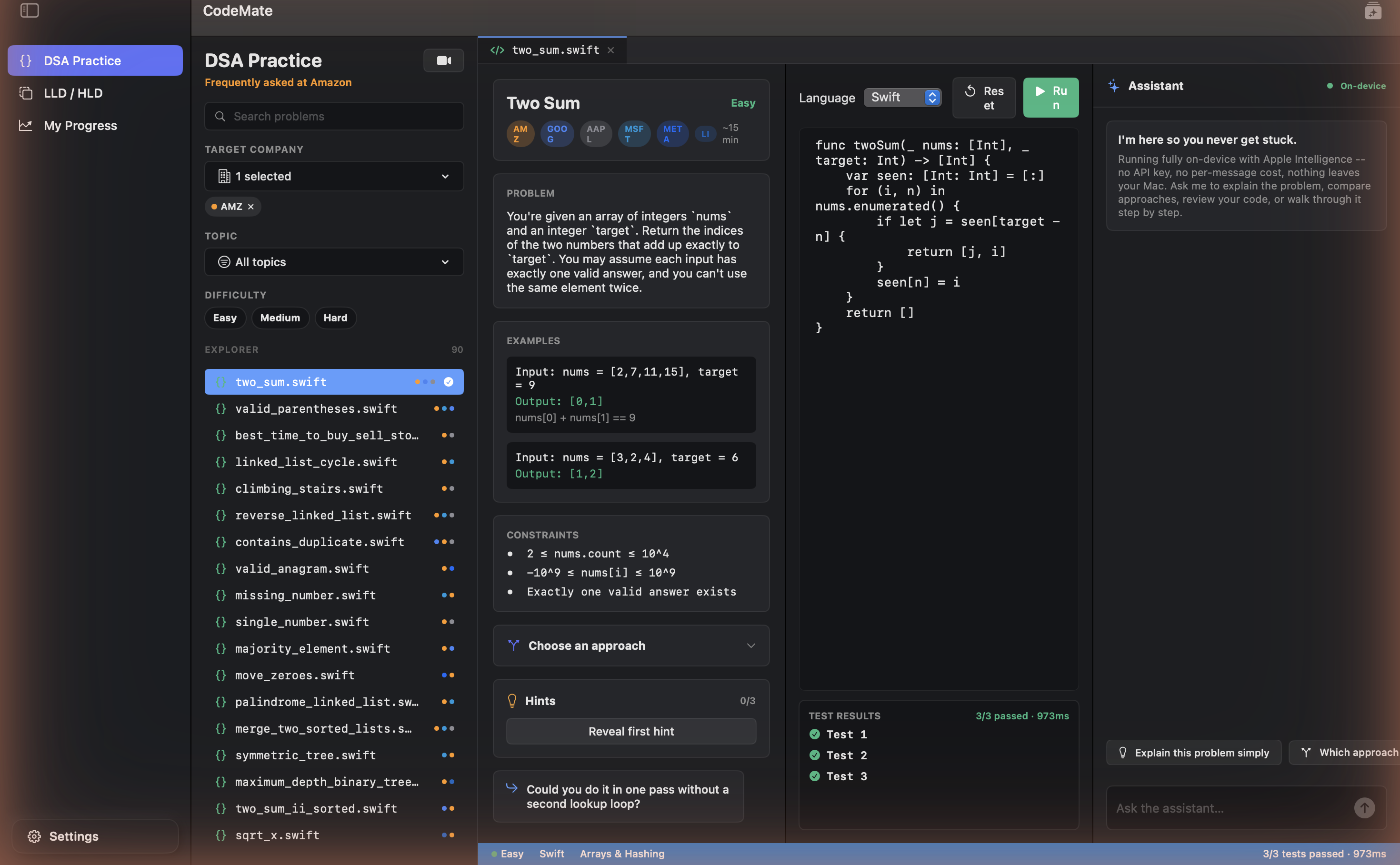
CodeMate's code editor showing the Two Sum problem with three passing tests
Why it's different

Built like the tool you already work in

Not a browser tab pretending to be a code editor — an actual macOS app, with the on-device intelligence and native polish that implies.

Real test cases. Real signal.

Run doesn't just mean "did it compile." Every problem with a test harness grades your submission against structured inputs and expected outputs, per test — pass 2 of 3 and you'll see exactly which one failed and why.

  • Per-test pass/fail with expected vs. actual output
  • Swift, Python, and JavaScript, run locally on your Mac
  • An on-device AI assistant — no API key, no per-message cost, nothing leaves your machine
Editor with passing tests

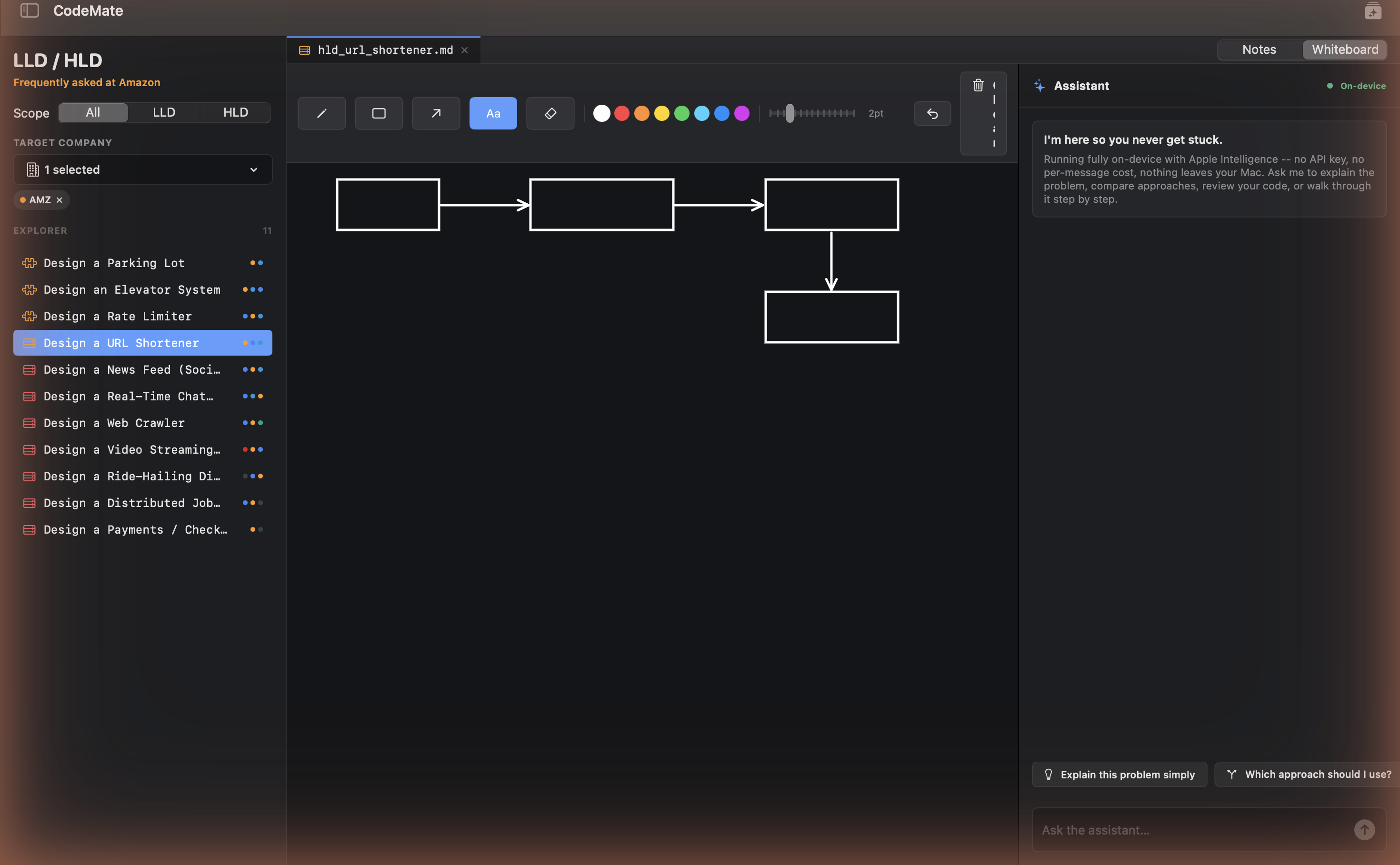
Whiteboard your system design

LLD/HLD questions come with a real drawing surface next to the assistant — sketch the architecture, boxes and arrows, before you write a line of code.

  • 11 system-design questions across parking lots, rate limiters, URL shorteners, and more
  • A dedicated whiteboard tab, not a text box pretending to be one
  • Ask-driven notes for requirements, data model, and trade-offs
LLD/HLD whiteboard

Track every rep

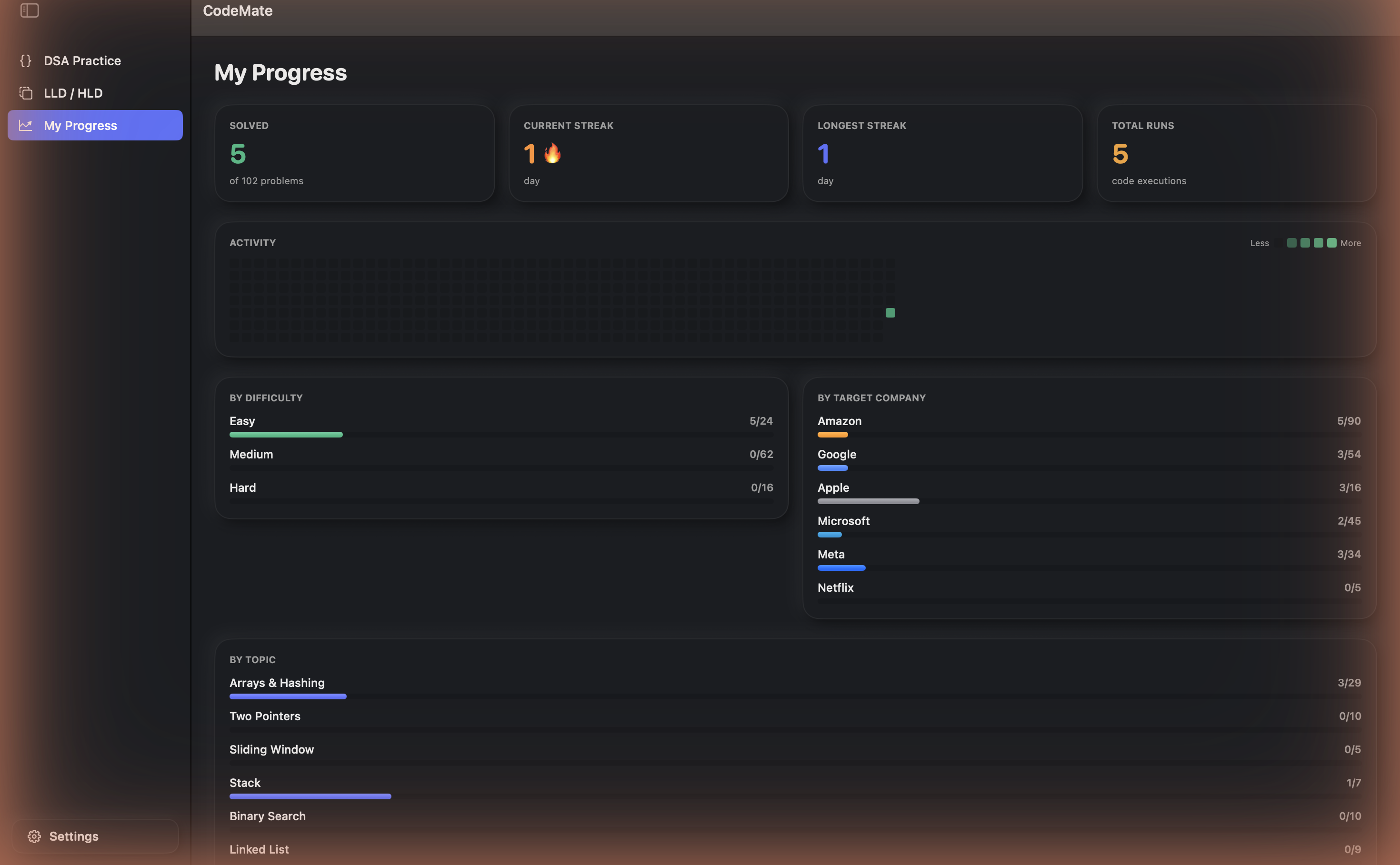
Streaks, a GitHub-style activity graph, and a breakdown by difficulty, company, and topic — so progress is something you can see, not just something you hope is happening.

  • Current and longest streak, total runs, solved count
  • Per-topic and per-company progress bars
  • Everything stored locally — it's your data
Progress dashboard
For total beginners

A guided path, not 100+ problems in a pile

The Roadmap tab orders every topic into 15 stages — the same curriculum shape as well-known DSA courses — with a "pick up here" button that always knows what you should solve next.

1Arrays & Hashing 2Two Pointers 3Sliding Window 4Stack 5Binary Search 6Linked List 7Trees 8Tries 9Heap / PQ 10Backtracking 11Graphs 12Dynamic Programming 13Greedy 14Intervals 15Math & Bits
See it run

24 seconds, start to green

Typing a solution, hitting Run, and watching real tests pass — no cuts.

Pricing

Simple, honest pricing

Free to try, no card needed. Upgrade from inside the app once you know it's worth it.

Free

See what the fuss is about
$0
forever, no card needed
  • 1 target company's questions
  • Unlimited on-device AI assistant
  • 1 practice video call / month
  • Progress tracking
Download

Max

Everything, unlimited, first
$19.99/mo
billed monthly
$149.99/yr
billed yearly
  • Everything in Pro
  • Unlimited practice video calls
  • Early access to new company packs
  • Priority cloud assistant fallback
  • Mock interview timer mode
Buy Max

Try it today, free

Notarized, no Gatekeeper warning, no account required to start.